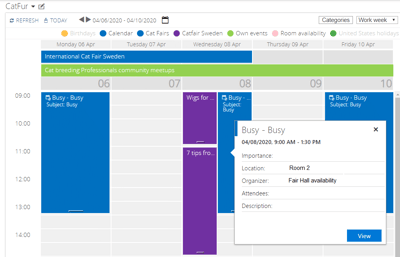
A practical guide for IT directors and SharePoint farm administrators planning around the July 2026 end-of-support deadline.
With SharePoint Server 2016 and 2019 reaching end of support on July 14, 2026, organizations running on-premises SharePoint face a decision they cannot defer indefinitely: upgrade to SharePoint Server Subscription Edition (SE), migrate to Microsoft 365, or continue running an unsupported version. Whichever path you choose, calendar functionality remains a baseline requirement for project teams, executive offices, and operational schedules across the enterprise.
What surprises many administrators reviewing their options is how little the native SharePoint calendar has changed. The classic calendar web part shipped in SharePoint 2016, 2019, and SE is functionally identical. The same constraints persist: a 10-calendar overlay limit, no cross-site-collection support, no SQL or external data integration, no Gantt view, and a classic UI that doesn’t render natively on modern pages. Upgrading to Subscription Edition does not improve any of these limitations.
This article reviews the calendar options available to on-premises SharePoint customers, with a focus on environments that cannot or will not migrate to the cloud — government, defense, healthcare, financial services, and manufacturing. We cover what the native calendar offers, where it falls short, how the Virto Calendar Web Part fills those gaps, and how to plan calendar continuity through the SP 2016/2019 end-of-support window.
SharePoint Server 2019 End of Support: What It Means for Calendar Users
Microsoft has set July 14, 2026 as the simultaneous end-of-support date for SharePoint Server 2016 and SharePoint Server 2019. After that date, both versions move out of mainstream and extended support: no security updates, no quality fixes, and no paid support beyond community Q&A. Running an unsupported SharePoint farm in production introduces compliance, audit, and security exposure that most regulated organizations cannot accept.
There are three viable paths forward: upgrading to SharePoint Server Subscription Edition, migrating to SharePoint Online, or running a hybrid configuration during a transition. For many government, defense, and financial-services customers, cloud migration is not on the table at all — air-gapped networks, data residency rules, and classified environments make Subscription Edition the only practical destination.
None of these paths automatically improves your calendar. The native calendar web part in Subscription Edition is the same web part shipped in SharePoint 2016. If your users have been working around overlay limits, classic-only rendering, or the lack of database integration on SP 2019, those workarounds carry over to SE unchanged. The end-of-support deadline is a useful trigger to re-evaluate calendar tooling alongside the platform upgrade itself, rather than treating them as separate projects.
| Version | End of Support | Calendar Features Changed? |
|---|---|---|
| SharePoint Server 2016 | July 14, 2026 | Baseline classic calendar web part |
| SharePoint Server 2019 | July 14, 2026 | No improvements over 2016 |
| SharePoint Server SE | Evergreen (no end date) | Same classic web part — no calendar improvements |
Table 1. SharePoint Server version support timeline. Source: Microsoft Lifecycle Policy.
Native SharePoint Server Calendar: Capabilities and Limitations
Before adding a third-party tool, it’s worth being precise about what ships in the box. The native calendar in SharePoint Server is a list-based web part with day, week, and month views. It has been a workhorse for over a decade and covers the simplest cases well — a single team calendar, a meeting-room schedule, a holidays list — without any extra licensing or installation.
What the native calendar does well
- Classic calendar web part with day, week, and month views built into every site collection.
- Calendar overlay of up to 10 SharePoint calendars from the same site collection.
- Exchange calendar overlay support across Exchange 2007 through 2016 and later, including resource mailboxes.
- Color-coding per overlay source so users can distinguish events at a glance.
- Recurring events and basic permissions inherited from the underlying SharePoint list.
- “Connect to Outlook” synchronization for offline access from the desktop client.
Where the native calendar runs out of room
The limitations are well known to anyone who has tried to use SharePoint as a serious scheduling hub:
- Hard cap of 10 overlay calendars, which is quickly exhausted in any cross-functional team.
- Overlays must come from the same site collection — no cross-site-collection or cross-farm aggregation.
- No SQL Server, ODBC, or database integration. Event data sitting in ERP, HR, or production systems can’t appear on the calendar.
- No XML data source support for legacy or proprietary feeds.
- No Salesforce, CRM, or external content type (BCS) calendar display.
- No Gantt view and no year-view; the longest planning horizon is a month.
- Classic UI only. On SP 2019 and SE, the calendar web part renders in classic mode even when embedded on a modern page.
- The 5,000-item list view threshold causes sync and performance issues on calendars with several years of history.
Virto Calendar Web Part for SharePoint On-Premises
The Virto Calendar Web Part is the calendar that SharePoint Server arguably should have shipped. It installs as a WSP farm solution on SharePoint 2016, 2019, and SE, and it replaces the classic web part with a single component capable of pulling events from seven distinct data source types and rendering them across eight views — including the views native SharePoint never offered.
Seven supported data sources
The breadth of supported data sources is the most consequential difference between Virto Calendar and any other on-premises calendar option. For organizations whose scheduling data lives outside SharePoint — in databases, line-of-business systems, or external CRM — this is the feature that makes a calendar usable as a real operational tool.
| Data Source | Description | Use Case |
|---|---|---|
| SharePoint Lists | Lists from the same or different site collections, including other farms via web service | Cross-department calendar aggregation |
| Microsoft Exchange | Exchange 2007–2013 and later, including meeting rooms and resource mailboxes | Personal schedules and room booking |
| Google Calendar | Connection via the Google Calendar API | Hybrid environments and external partners |
| SQL Server Tables | Direct SQL connection to any reachable database | ERP shift schedules, production calendars, HR data |
| XML Files | Custom XML data sources over file or HTTP | Legacy systems and proprietary data feeds |
| Salesforce Calendar | Salesforce CRM calendar data | Sales scheduling and client meeting tracking |
| External Content Types | Business Connectivity Services (BCS) sources | Line-of-business system integration |
Table 2. Virto Calendar Web Part data sources for SharePoint on-premises.
The SQL and XML sources matter most in air-gapped or classified environments. Organizations running isolated SharePoint farms typically have event data in SQL databases — shift schedules, maintenance windows, production runs, compliance deadlines — that needs to appear on a calendar alongside SharePoint and Exchange events. Virto Calendar is one of the only on-prem options that lets you wire those sources up directly without an integration layer in between.
Eight calendar views
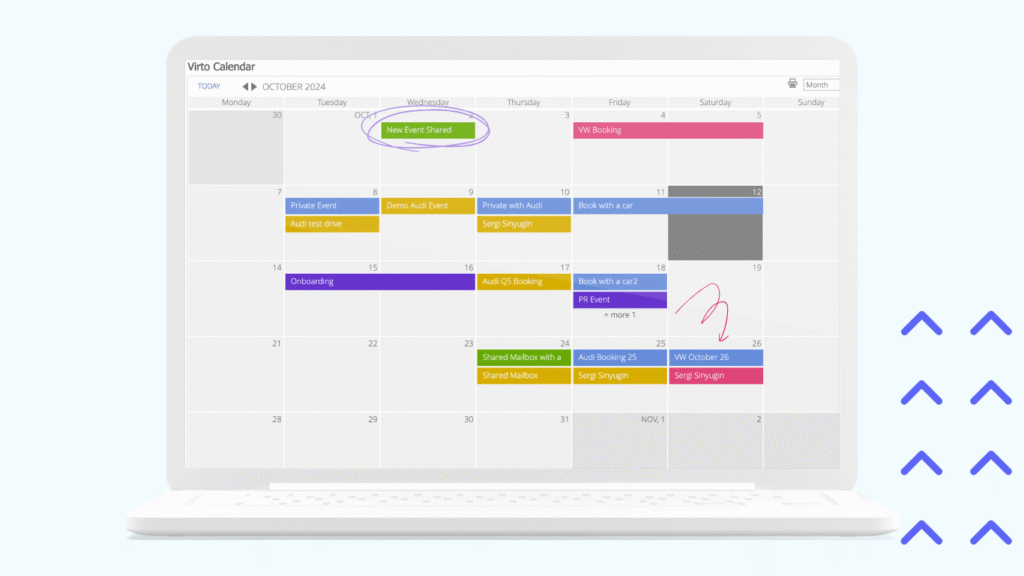
Native SharePoint gives you three views; Virto Calendar gives you eight: Day, Week, Work Week, Month, Year, Task, Gantt, and Multi-Source. Two of these deserve specific attention.
The Gantt view is unique among on-premises SharePoint calendar tools. PMO teams can visualize project timelines with start dates, durations, and dependencies directly inside SharePoint, without standing up a separate Project Server installation. Multi-Source view renders each connected data source as its own column — useful when you want to compare schedules across departments, vendors, or production lines without collapsing them onto a single grid.
Features that matter for on-premises environments
- Multi-level color coding — by source and by category within a source — so a calendar with five overlays remains scannable.
- Drag-and-drop rescheduling and one-click event creation directly from the calendar grid.
- A separate Mini Calendar SPFx web part for SP 2019 and SE that sits naturally in modern pages and full-width columns.
- Modern page support via SPFx, so the calendar finally renders alongside the rest of your modern site without a classic frame.
- Offline activation. The web part can be activated and licensed in environments that have no outbound internet access — a hard requirement for most classified and air-gapped deployments.
- WSP farm-solution deployment via Setup.exe on the SharePoint server, following the same operational pattern administrators already use for other on-prem extensions.
Deployment and compatibility
Virto Calendar Web Part is licensed individually or as part of the Virto On-Premises Productivity Kit, with a 30-day standalone trial available.
| Environment | Supported | Notes |
|---|---|---|
| SharePoint 2016 | Yes | Requires .NET Framework 4.7.2 |
| SharePoint 2019 | Yes | Classic and modern pages |
| SharePoint SE | Yes | Classic and modern pages |
| Air-gapped networks | Yes | Offline activation available |
| Browsers | Yes | Edge, Chrome, Firefox, Brave |
| Licensing | Yes | Virto On-Premises Productivity Kit or standalone, 14-day trial |
Table 3. Virto Calendar Web Part compatibility matrix.
Native SharePoint Calendar vs Virto Calendar Web Part
Most administrators evaluating Virto are not asking whether it works — they’re asking which gaps in the native experience it closes. The table below summarizes the practical differences that come up in real procurement conversations.
| Feature | Native SP Calendar | Virto Calendar Web Part |
|---|---|---|
| Maximum overlay calendars | 10 | Unlimited |
| Cross-site-collection overlay | No | Yes (including other farms) |
| Exchange calendar overlay | Yes | Yes |
| SQL Server integration | No | Yes |
| XML data sources | No | Yes |
| Salesforce CRM | No | Yes |
| Google Calendar | No | Yes |
| Gantt view | No | Yes |
| Year view | No | Yes |
| Task view | No | Yes |
| Multi-level color coding | Basic (per overlay) | Advanced (source and category) |
| Drag-and-drop rescheduling | No | Yes |
| Modern page support (SP 2019/SE) | No (classic rendering) | Yes (SPFx) |
| Offline activation | Not applicable | Yes |
Table 4. Native SharePoint calendar versus Virto Calendar Web Part — head-to-head feature comparison.
Industry Use Cases for On-Premises Calendar
On-premises SharePoint customers are not a single audience. The reasons for staying on-prem differ by sector, and so do the calendar requirements that come with them.
Government and defense
Air-gapped SharePoint farms in classified or restricted environments need calendar tooling that can be activated and updated without an outbound internet connection. Virto Calendar’s offline activation, combined with SQL integration for operational scheduling — watch rotations, maintenance windows, exercise calendars — is the configuration most defense and intelligence customers settle on.
Financial services
Data-residency requirements and regulator preferences keep many banks and asset managers on-premises. Calendar use cases here typically combine Exchange meeting-room overlays with SQL-based compliance deadline tracking, so risk officers can see filings, board meetings, and audit windows on a single calendar without exporting data to a third-party SaaS.
Healthcare
HIPAA-compliant on-premises infrastructure is still the norm for many hospital systems. A practical Virto Calendar configuration in healthcare combines physician scheduling from Exchange, clinical-trial timelines from SQL, and departmental SharePoint calendars — all rendered on the same page with role-based color coding.
Manufacturing and logistics
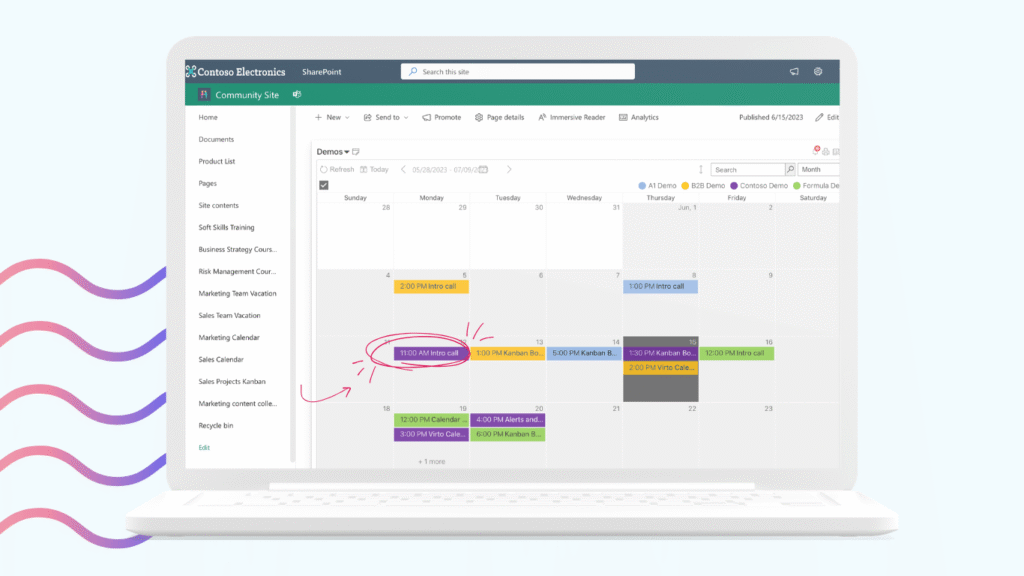
Production shift calendars, line maintenance windows, and inbound logistics typically live in SQL and ERP databases rather than SharePoint lists. Virto Calendar pulls those directly into SharePoint, and the Gantt view turns the same data into a production timeline that operations managers can read at a glance.
Planning for SharePoint 2019 End of Support
Calendar continuity should be part of any SP 2016 or 2019 end-of-support plan, not an afterthought. The recommendation depends on the upgrade path you’ve already chosen.
If you’re staying on-premises, upgrade to SharePoint Server Subscription Edition. Virto Calendar Web Part is fully compatible with SE, and there is no calendar migration to perform: the data, configuration, and overlays move with the upgrade.
If you’re migrating to Microsoft 365, plan for a Virto Calendar App on the cloud side. The cloud product offers equivalent multi-source overlay capability, and customers running both estates during a transition period typically license the Virto Hybrid Productivity Kit, which covers on-prem and cloud under one agreement.
If you’re running hybrid for the foreseeable future, Virto Calendar Web Part on-prem and Virto Calendar Overlay App in M365 share the same UX philosophy, so users moving between environments don’t relearn the calendar. Either way, the most expensive choice is doing nothing: each month past July 2026 on an unsupported farm is more risk than the upgrade itself.
For a deeper comparison of the on-prem and cloud options, see the SharePoint On-Premises vs Online comparison on the Virto blog.
Frequently Asked Questions
What calendar options are available for SharePoint Server on-premises?
The native SharePoint calendar web part provides basic overlay of up to 10 calendars from the same site collection, with Exchange calendar support. For advanced needs — SQL integration, Gantt view, unlimited overlays, cross-farm aggregation — Virto Calendar Web Part is the leading third-party solution and supports SharePoint 2016, 2019, and Subscription Edition.
Can I connect a SQL database to a SharePoint calendar?
Not with the native calendar. Virto Calendar Web Part supports direct SQL Server connections, allowing you to display structured event data from any reachable database alongside SharePoint and Exchange calendars on the same page.
Does SharePoint Subscription Edition have a better calendar than SharePoint 2019?
No. The native calendar web part is functionally identical across SharePoint 2016, 2019, and Subscription Edition. Upgrading to SE does not improve calendar capabilities. Third-party solutions such as Virto Calendar Web Part provide the same enhanced feature set across all three versions.
Is there a calendar solution that works in air-gapped SharePoint environments?
Yes. Virto Calendar Web Part supports offline activation for environments without internet connectivity. It deploys as a WSP farm solution and does not require cloud connectivity to function, which is why it’s a common choice in defense, intelligence, and other classified deployments.
What happens to my SharePoint calendar when SP 2019 support ends?
Your calendar data — events stored in SharePoint lists and Exchange — remains intact. However, without security updates, the underlying environment becomes a risk. The recommended path is to upgrade to SharePoint Subscription Edition or migrate to SharePoint Online; Virto Calendar Web Part is compatible with all three on-prem versions and supports a smooth transition either way.
Conclusion
The native SharePoint calendar has not evolved across on-prem versions, and SharePoint Subscription Edition does not change that. For organizations that need SQL, XML, or Salesforce integration, Gantt views, unlimited overlays, or modern-page rendering, Virto Calendar Web Part is the established option — deployed on-prem since 2006 and supported across SharePoint 2016, 2019, and SE.
With SharePoint 2016 and 2019 reaching end of support in July 2026, the next 12–18 months are the natural window to evaluate calendar tooling alongside your platform upgrade. Request a 30-day Virto Calendar Web Part trial, or explore the Virto On-Premises Productivity Kit to cover calendar, alerts, and workflow tooling under a single agreement.
Next steps: Request a 30-day trial · Explore the Virto On-Premises Productivity Kit