How Microsoft Teams Tags Improve Team Collaboration

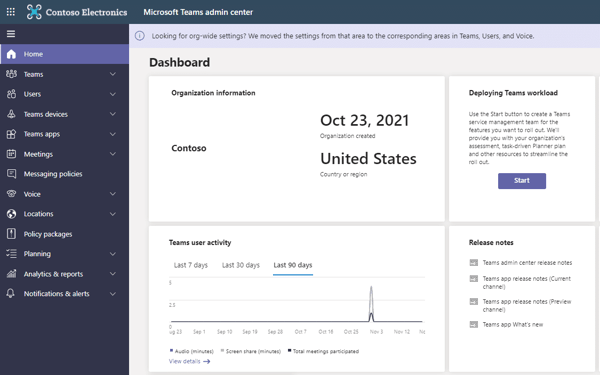
Microsoft Teams is more than just a messaging platform—it’s a tool designed to keep team collaboration organized and efficient. Among its features, Teams tags often go overlooked, yet they play a key role in targeted communication. Knowing what are tags in Microsoft Teams helps cut through the noise by directing messages to the exact people who need them. From how to tag everyone in Teams to how to create a tag in Teams, mastering these functions simplifies coordination. ...

November 8, 2025 · 16 min · Alina Petrachenkava

SharePoint Content Management: Features, Benefits & Best Practices

SharePoint is often introduced as a corporate portal, but that’s only the surface. In reality, it’s a powerful SharePoint content management platform—fully capable of operating as a SharePoint content management system (CMS) and even scaling into a complete SharePoint ECM (Enterprise Content Management) solution. The question many specialists still raise is: “Is SharePoint a content management system?” The answer is yes—and not only that, but it’s one of the most versatile Microsoft content management tools available today. ...

October 30, 2025 · 22 min · Alina Petrachenkava

What Is Microsoft Loop? Features, Benefits, and How to Use It

Let’s be honest—collaborating across teams can be chaotic. Between endless chat threads, scattered docs, and forgotten meeting notes, it’s easy to lose track of who’s doing what. That’s where Microsoft Loop steps in—and trust us, it’s a breath of fresh air for modern teamwork. So, what is Microsoft Loop, exactly? MS Loop (aka Loop Microsoft or Loop MS, depending on who you ask) is a powerful new addition to the Microsoft 365 lineup. It’s not just another app—it’s a whole new way of working together. What is Loop Microsoft all about? In short, it’s a flexible, real-time collaboration platform that brings your content, tasks, and teammates together in one fluid, connected space. ...

July 3, 2025 · 18 min · Alina Petrachenkava

What Are Microsoft 365 Groups and How to Use Them

If you’ve ever wondered what is a Microsoft 365 Group or how it magically brings your team together, you’re in the right place. Microsoft 365 Groups (or M365 Groups, as the cool kids call them) are the unsung heroes of the Microsoft 365 ecosystem. They’re the backbone of seamless teamwork, giving your team shared access to calendars, inboxes, files, notebooks, and more — all in one centralized hub. This article is your all-in-one guide to understanding Microsoft 365 Groups. We’ll explain what a Microsoft 365 Group is, why it matters, and how to use it like a pro. You’ll learn how to create a Microsoft 365 Group, how to manage it, and how to work with it across different tools — from Outlook and SharePoint to Teams and beyond. Not sure how to create a group in Microsoft 365 or how to create a Microsoft group? Don’t worry, we’ve got step-by-step tips coming your way. ...

May 27, 2025 · 25 min · Alina Petrachenkava

How to Create and Manage a SharePoint Document Library

Let’s face it: managing files shouldn’t feel like a full-time job. That’s where the SharePoint Document Library steps in to save the day. So, what is a SharePoint Document Library, exactly? In short, it’s a feature in Microsoft 365 that helps you store, organize, and collaborate on documents all in one place. If you’ve ever wondered, “what is a document library in SharePoint?” or “what is a SharePoint library even for?”, you’re not alone — and you’re in for a treat. ...

May 26, 2025 · 18 min · Alina Petrachenkava

Best Microsoft Scheduling Software for Enhanced Productivity

Ever wondered does Microsoft have a scheduling tool that can actually keep up with your busy day? Spoiler: it does. In fact, Microsoft 365 is loaded with powerful, built-in scheduling tools—designed to make planning a breeze, whether you’re organizing personal tasks or syncing up with a team across time zones. From simple calendar management to full-blown project coordination, there’s a Microsoft scheduling tool for just about every need. Whether you’re using Microsoft Scheduler, Outlook’s scheduling tool, or exploring other Microsoft scheduling software, you’ve got plenty of options right at your fingertips. ...

May 26, 2025 · 18 min · Alina Petrachenkava

How to Use Scheduling Assistant in Outlook for Easy Meeting Planning

Coordinating meetings can feel like solving a complex puzzle. Outlook’s Scheduling Assistant offers a powerful solution to this challenge, yet many users barely scratch the surface of its capabilities. This built-in tool simplifies the process of finding meeting times that work for everyone, displaying availability across multiple attendees’ calendars at a glance. Despite being right at your fingertips, the Scheduling Assistant remains one of Outlook’s most underutilized features. While the Scheduling Assistant excels at visualizing free/busy information and identifying optimal meeting slots, it does come with limitations worth understanding. Factors such as calendar permissions, organizational boundaries, and time zone complications can sometimes present obstacles that require workarounds or alternative approaches. ...

April 2, 2025 · 37 min · Marina Conquest

Microsoft Planner Premium: Boost Productivity & Collaboration 

When it comes to task and project management, Microsoft Planner is a trusted ally within the Microsoft 365 ecosystem. It’s designed to help teams organize, assign, and track tasks with ease, making it a favorite for businesses of all sizes. Whether you’re mapping out a marketing campaign or juggling multiple deadlines, Planner offers an intuitive interface that simplifies collaboration. But for those who need more than just the basics, Microsoft Planner Premium is the way to go. This upgraded version is packed with advanced features that can significantly boost your productivity. From AI-driven insights to advanced reporting tools, Premium is built to help you work smarter and achieve more. ...

March 24, 2025 · 14 min · Alina Petrachenkava

Trello vs Microsoft Planner: Which is Better for Teams?

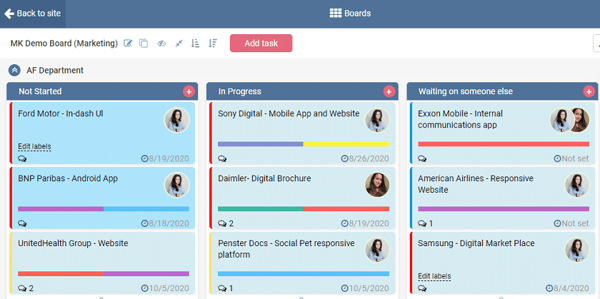
When it comes to managing tasks and projects, two names often stand out: Microsoft Planner and Trello. Both are popular tools designed to simplify workflows and boost team productivity, but they cater to different needs and preferences. Each has its unique strengths, making the choice between them less about which is “better” and more about what fits your team’s requirements. The decision hinges on factors like the size of your team, the complexity of your projects, and how deeply integrated you are with other tools. Are you looking for a visual, flexible approach to task management? Or do you need something more structured, seamlessly connected to a broader ecosystem of apps? These are the questions that shape the choice. ...

March 21, 2025 · 12 min · Alina Petrachenkava

How to Use Microsoft Planner in Teams for Task Management

Microsoft Planner, a powerful and intuitive task management tool, is seamlessly built into Microsoft Teams, enabling organizations to organize workflows, visualize tasks, and manage projects effectively. As one of the most popular tools in the Microsoft 365 ecosystem, Planner has long been a go-to solution for teams looking to streamline collaboration and stay on top of their workloads. Recently, Planner received a significant makeover, transforming it into a unified work management experience that combines the simplicity of task management with advanced features from Microsoft Project and the intelligence of Microsoft 365 Copilot. ...

January 28, 2025 · 34 min · Marina Conquest