Master SharePoint Notifications: A Guide to Customizing Alerts

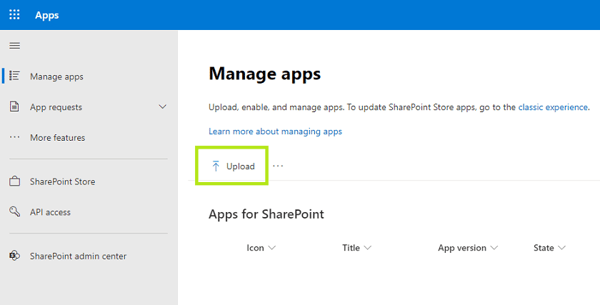
Staying informed about important updates in SharePoint is crucial for productivity and collaboration. SharePoint alerts and notifications are built-in features that keep you updated on changes to files, folders, lists, and libraries. Whether you’re tracking document edits, approvals, or task assignments, these alerts ensure you never miss critical updates. This guide will walk you through the process of setting up and managing SharePoint notifications. By customizing alerts to fit your workflow, you can enhance communication, streamline collaboration, and stay on top of essential changes without constantly checking for updates manually. ...

March 25, 2025 · 32 min · Marina Conquest

SharePoint Communication Site: Improve Communication and Teamwork

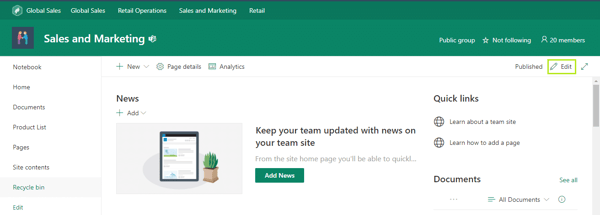
SharePoint Communication Sites represent Microsoft’s powerful solution for broadcasting information and engaging teams across your organization. These specialized SharePoint sites function as dynamic digital bulletin boards—enabling departments, project teams, and organizations to share news, reports, statuses, and other information in a visually compelling and accessible format. Unlike traditional team sites that focus on collaboration, Communication Sites are designed primarily for wide-reaching information dissemination, allowing content creators to craft polished, branded experiences for their audience. They serve as central hubs where employees can stay informed about company initiatives, departmental updates, and important announcements. ...

March 21, 2025 · 44 min · Marina Conquest

Optimize Your Business with SharePoint Document Management

Microsoft SharePoint is widely recognized as a powerful platform for document storage, but its capabilities go far beyond just storing files. It serves as a comprehensive document management system (DMS), enabling businesses to organize, manage, and collaborate on documents seamlessly. Companies worldwide rely on SharePoint’s robust document management features to streamline workflows, improve accessibility, and enhance security. However, to fully leverage its potential, organizations must understand how document management works within SharePoint and implement best practices to maximize efficiency. ...

March 21, 2025 · 32 min · Marina Conquest

SharePoint Form: Everything You Need to Know About Creating and Using Forms

At their core, SharePoint forms serve as versatile tools that allow organizations to collect and process data, automate routine processes, and significantly simplify user interactions. Whether you need feedback from team members, require structured data input from clients, or want to standardize internal request procedures, SharePoint forms provide a centralized and efficient approach to managing information. Organizations typically leverage SharePoint forms for a wide range of applications—from creating comprehensive surveys and handling customer queries to recording essential business data and facilitating any task that demands structured data entry. The beauty of these forms lies in their flexibility and seamless integration with other Microsoft tools, making them an invaluable asset for modern businesses. ...

March 14, 2025 · 43 min · Marina Conquest

What Is Microsoft OneDrive for Business and How to Use It Effectively?

Microsoft OneDrive for Business stands as a powerful enterprise cloud storage solution designed specifically for organizations. Unlike its personal counterpart, OneDrive for Business provides a secure platform where employees can store, sync, and share files with colleagues while maintaining appropriate security controls and compliance standards. As an integral component of the Microsoft 365 ecosystem, OneDrive for Business seamlessly integrates with other productivity tools like SharePoint, Teams, and the Office suite. This interconnected environment enables streamlined workflows, real-time collaboration, and enhanced productivity across your organization. ...

March 11, 2025 · 57 min · Marina Conquest

MS Planner vs Project: Which Is Right for Your Team?

When it comes to work management and project planning, Microsoft offers two powerful tools: Microsoft Planner and Microsoft Project. While these solutions are often confused due to their overlapping capabilities, they are designed for different use cases and levels of complexity. With recent changes, Project for the web has now become part of the new Microsoft Planner, further blurring the lines between these platforms. This article will compare Microsoft Planner and Microsoft Project, breaking down their key differences in functionality, use cases, and suitability for different team needs. Whether you’re managing simple tasks or complex enterprise projects, this guide will help you determine which tool is the best fit for your organization. ...

February 25, 2025 · 22 min · Marina Conquest

Understanding SharePoint Subsite: From Basics to Implementation

SharePoint is a powerhouse for collaboration, but let’s be honest, sometimes all that power can feel a little… chaotic. One key way to bring order to the SharePoint world is through the use of subsites. Think of them as folders within folders, but for websites! SharePoint subsites give you a way to structure your information, create hierarchies, and generally keep things organized. When used well, subsites can make managing content a whole lot easier and help your team find what they need, when they need it. ...

February 18, 2025 · 17 min · Alina Petrachenkava

Microsoft Planner Alternative: Find the Best Project Management Tools for Your Team

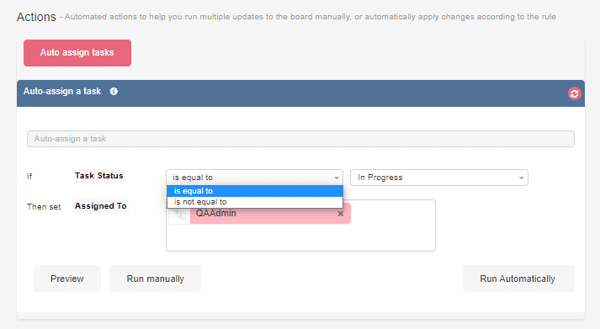
As organizations strive for more efficient project management solutions, many teams find Microsoft Planner’s basic feature set insufficient for their evolving needs. While Planner offers a straightforward task management interface within the Microsoft 365 ecosystem, its limitations become apparent when teams require advanced project tracking, detailed analytics, or sophisticated workflow automation. Common pain points with Microsoft Planner include restricted customization options, basic reporting capabilities, and limited integration possibilities beyond Microsoft’s suite of tools. Project managers often struggle with the lack of time tracking features, advanced task dependencies, and comprehensive resource management tools that are essential for complex projects. ...

February 10, 2025 · 40 min · Marina Conquest

Intranet SharePoint: Building Process and Use Cases

In the modern workplace, seamless communication and collaboration are essential. SharePoint, a core part of the Microsoft 365 suite, provides businesses with a powerful tool to build a functional and efficient intranet. It serves as a centralized platform for document management, team collaboration, and internal communication, making it an indispensable asset for organizations of all sizes. A SharePoint Intranet acts as a digital workplace where employees can find important resources, share knowledge, and stay up to date with company news. The platform’s user-friendly interface allows teams to create and manage content with ease—no coding skills required. Whether it’s department-specific pages, company-wide announcements, or document libraries, SharePoint makes everything accessible and organized in one place. ...

February 7, 2025 · 18 min · Alina Petrachenkava

How to Create and Optimize SharePoint Page: A Complete Guide

More than just a document repository, SharePoint serves as the digital backbone of modern business operations, enabling teams to build sophisticated information ecosystems that drive productivity and innovation. At the core of SharePoint’s versatility are its Pages, which play a crucial role in visualizing data and enhancing user experience. Pages allow you to display content in an engaging, organized, and accessible way, making it easier for users to find important information and interact with resources effectively. ...

February 6, 2025 · 28 min · Marina Conquest