




SharePoint Online
Virto Kanban Board App Update 09/2016
This release brings new features, such as email notifications for task assignments, and the ability to attach files to Kanban cards.
Dive into step-by-step tutorials and 'how-to' guides crafted by VirtoSoftware's seasoned team, with over 15 years of expertise. Gain access to comprehensive, free reviews for SharePoint Online, empowering you to elevate productivity and become a master of these vital platforms.
228 posts
This release brings new features, such as email notifications for task assignments, and the ability to attach files to Kanban cards.

Streamline your alerts with Office 365 alerts add-in, allowing you to merge multiple alerts into a single table for a consolidated view.

Learn how to easily track field changes with the Office 365 Alerts app! Get instant notifications and stay on top of your data changes in SharePoint Online.

Learn how to change the line spacing in VirtoOffice 365 Forms Designer with this update, making your forms more readable and organized.

Learn how to migrate SharePoint Online lists quickly and easily using third-party tools with this comprehensive guide.

Learn about Virto Workflow Activities Kit, a new set of workflow activities for SharePoint Online, designed to extend its out-of-the-box features.

Discover the latest Virto SharePoint Calendar app update from August 2016. Learn about new features and improvements to enhance your SharePoint calendar.

This update includes new features and improvements, such as a refreshed UI, new event tooltips, and enhanced calendar views.

Explore the latest updates to VirtoSoftware's Calendar app in July 2016. Discover how to enhance your SharePoint calendar with new features!
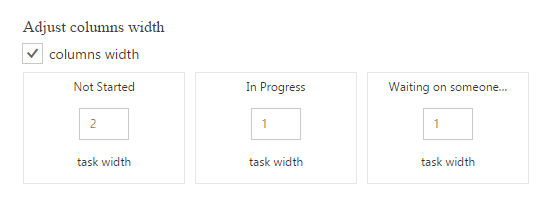
Discover the latest features and updates to Kanban Board Pro by Virto. Learn how to optimize your project management process with Kanban board and more!

SharePoint’s native calendar has no color-coding by category. Here’s how to add multi-level color coding with Virto Calendar — by source, type, and priority.
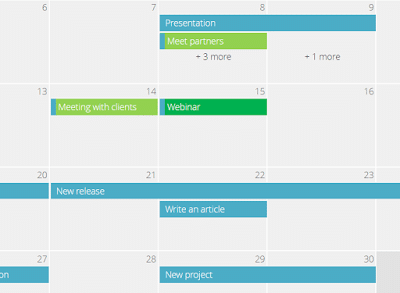
Explore the latest updates to VirtoSoftware's Calendar app in June 2016. Discover how to enhance your SharePoint calendar with new features!
